
Cua Spaces 0.13 to 0.16
Cua Spaces
- Cua Spaces 0.13.0Full details on GitHub
- Cua Spaces 0.14.0Full details on GitHub
- Cua Spaces 0.15.0Full details on GitHub
- Cua Spaces 0.16.0Full details on GitHub
Set up your agents when you first open the app
Onboarding now starts with your agents. Pick any of them, or none, for each computer. Codex signs in with your ChatGPT account. The Home screen is quieter, and "Skip for now" stays skipped the next time you open the app.
What changes for users: you get to a working agent faster, and the app stops asking again after you skip.
One name in System Settings
Cua Spaces now runs as the Cua Spaces app itself, so System Settings shows one name instead of a separate background item. If you try Cua Spaces Local next to the stable app, the two keep separate names, settings and messages, and Local's hints refer to cua-local.
What changes for users: fewer confusing entries in System Settings, and no mix-ups between Local and the stable app.
More places to run your computers
Cua Spaces 0.14 adds support for E2B and Daytona, Hetzner as your own cloud, a shared pool of computers, cua share, and the public relay.
What changes for users: you can use the cloud you already pay for.
A new app icon
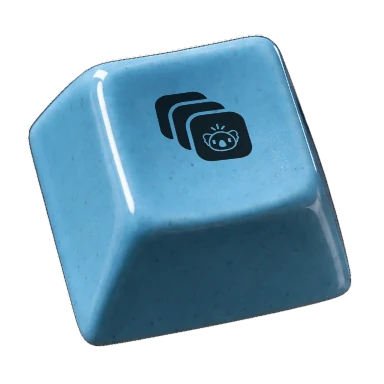
The app has a new icon, a terracotta koala keycap on a charcoal background. macOS 26 no longer adds a grey plate behind it.
Signing in and out is more reliable
- If sign-in never comes back to the app, you can enter a code instead.
- If you sign in as another account, the app picks up the new account, including this Mac's registration.
- The Spaces page no longer shows as empty while your computers are still answering.
- The notch counts only Spaces that are running or starting, and hides when there are none.
- The permissions guide closes itself once you grant access.
What changes for users: fewer dead ends when you sign in or switch accounts.
Easier troubleshooting and cleanup
- System Status is linked from Help, Settings About and the troubleshooting guide.
- The Cua Spaces Local uninstall script now also removes Local's preferences, caches and web data, takes this Mac off the relay, and removes Local's entries from your coding agents.
- Opening the app shows its window.
- The installer retries when Apple's notarization check stops partway.
What changes for users: you can find out what is wrong from inside the app, and a clean uninstall leaves nothing behind.
Get every update: follow with RSS.