Cua Bots: persistent bots with their own computers
The featured Cua Spaces example: a source-available Mac and iPhone app for persistent bots, each with a face you design, its own Space, a memory in the Cua Volume layout, routines, approvals and rules. SwiftUI on the Cua Swift SDK.
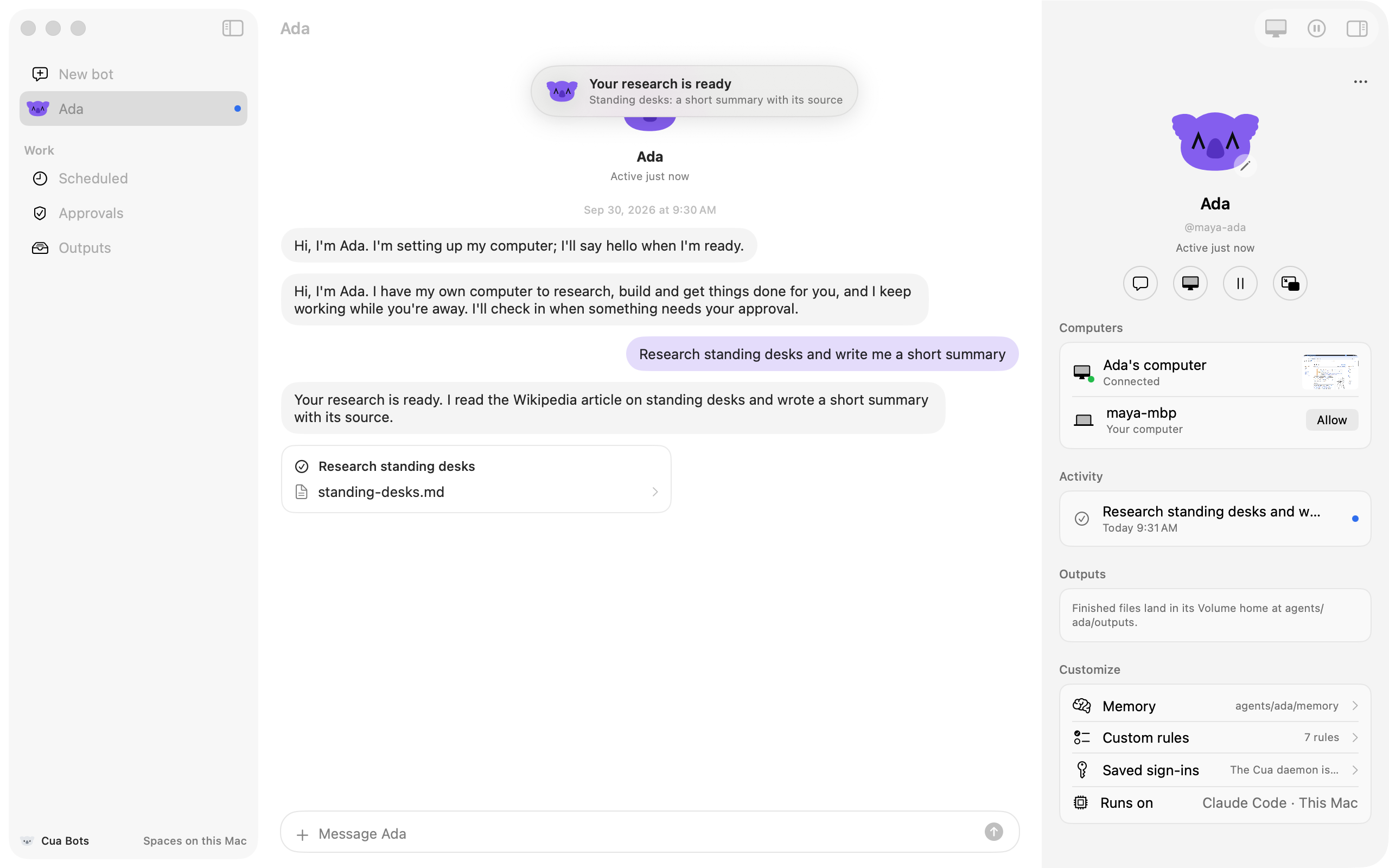
Cua Bots is an example app for persistent bots. You create a bot, give it a name and a koala face, and it gets its own computer (a Space). It keeps working while you're away, remembers what matters to you, and asks before it does anything your rules say it should ask about. The Mac app runs the bots; the iPhone app chats with them, watches their computers and answers their approvals.
Cua Bots: self-host your bots
The Cua Bots launch film (23 seconds). The app screens in it are real Cua Bots screenshots.
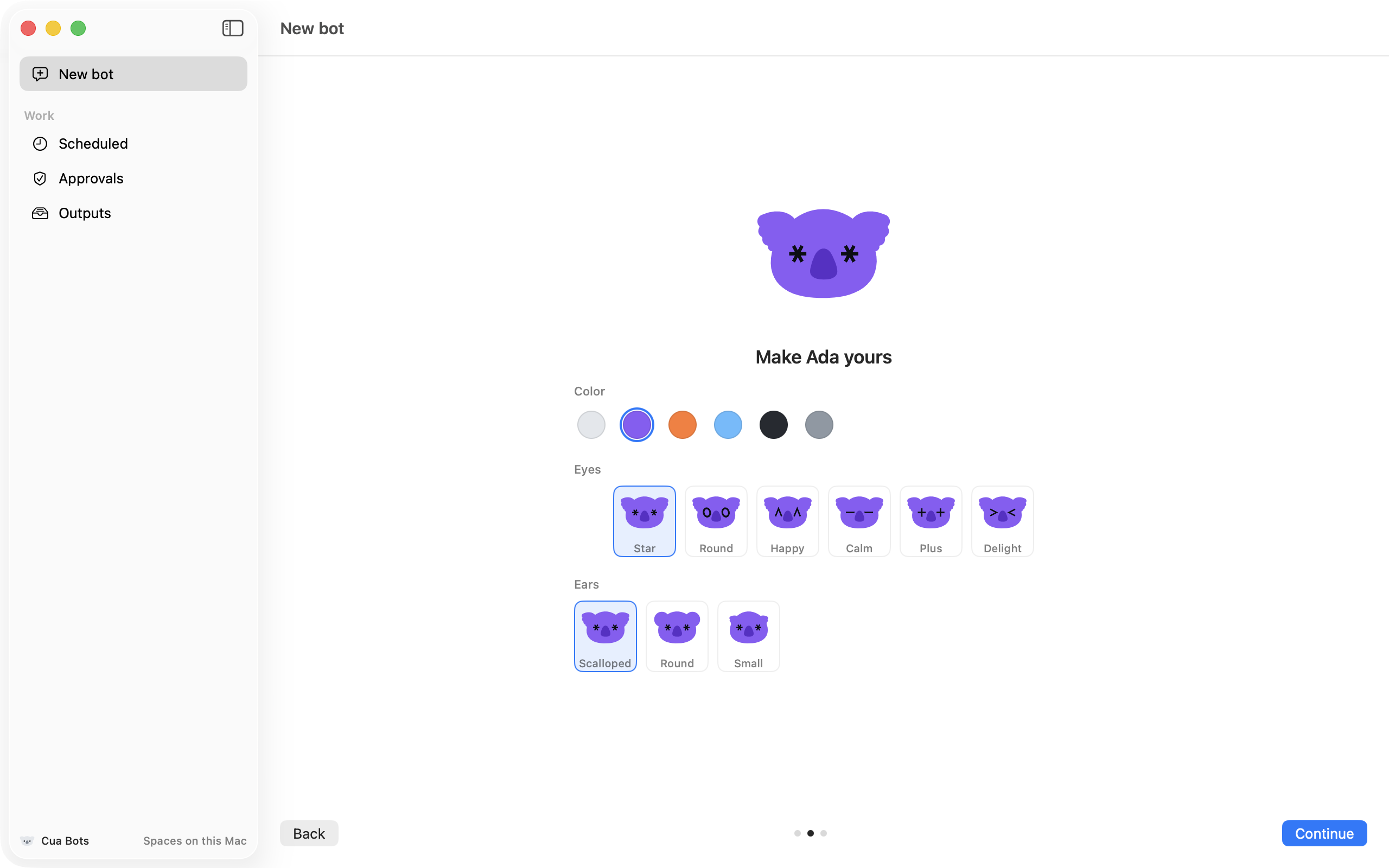
Create a bot in three steps: name it, design its face (color, eyes, ears), and choose where its computer runs (this Mac or the cloud) and which agent drives it (Hermes, OpenClaw, Codex or Claude Code). It introduces itself when its computer is up.
Its face changes with what it's doing: thinking, working, waiting for you, done or paused.
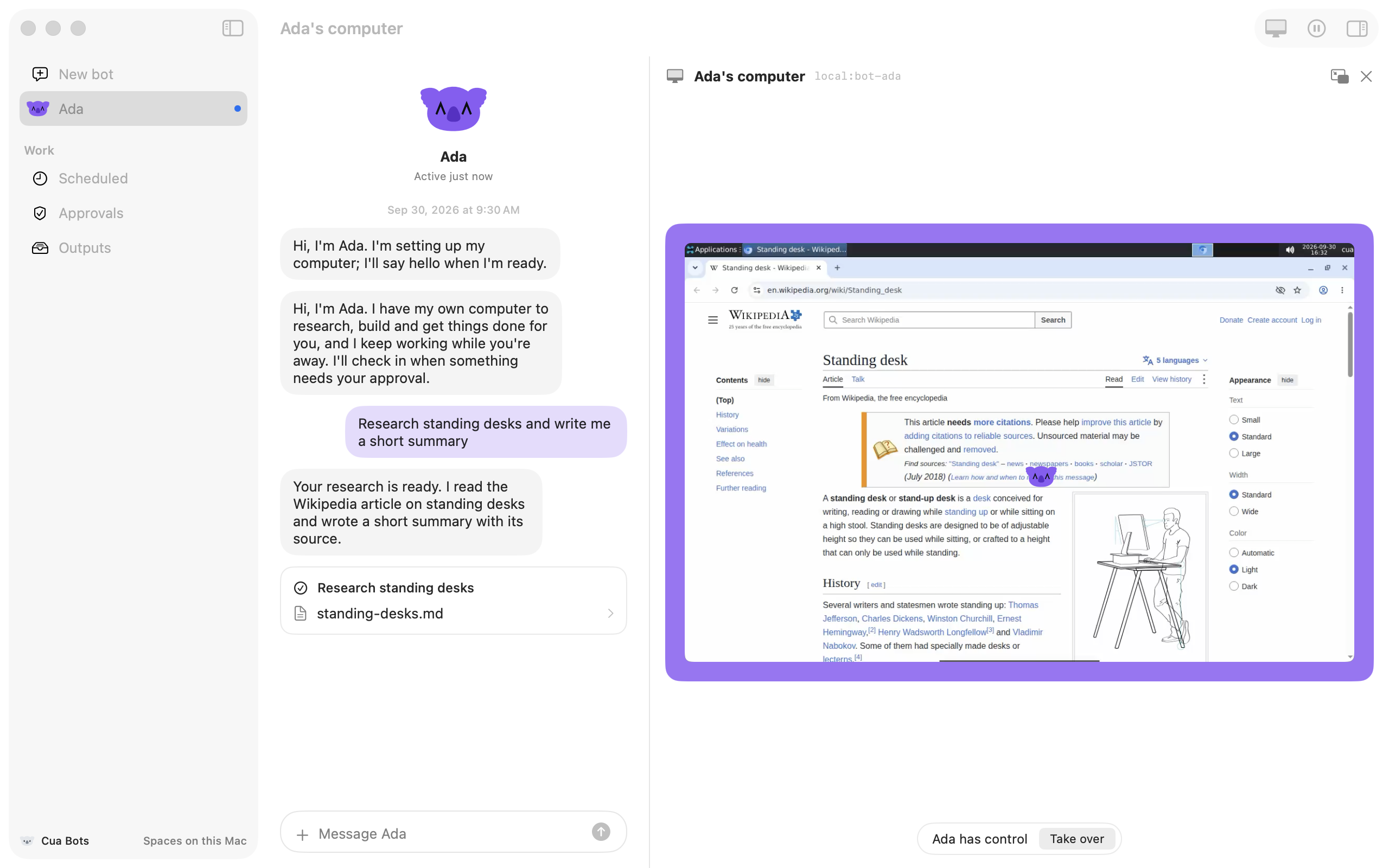
"Ada's computer": the bot's own Space, live beside the chat, framed in its color, with picture in picture. The bot has control until you take over; its face rides next to its pointer.
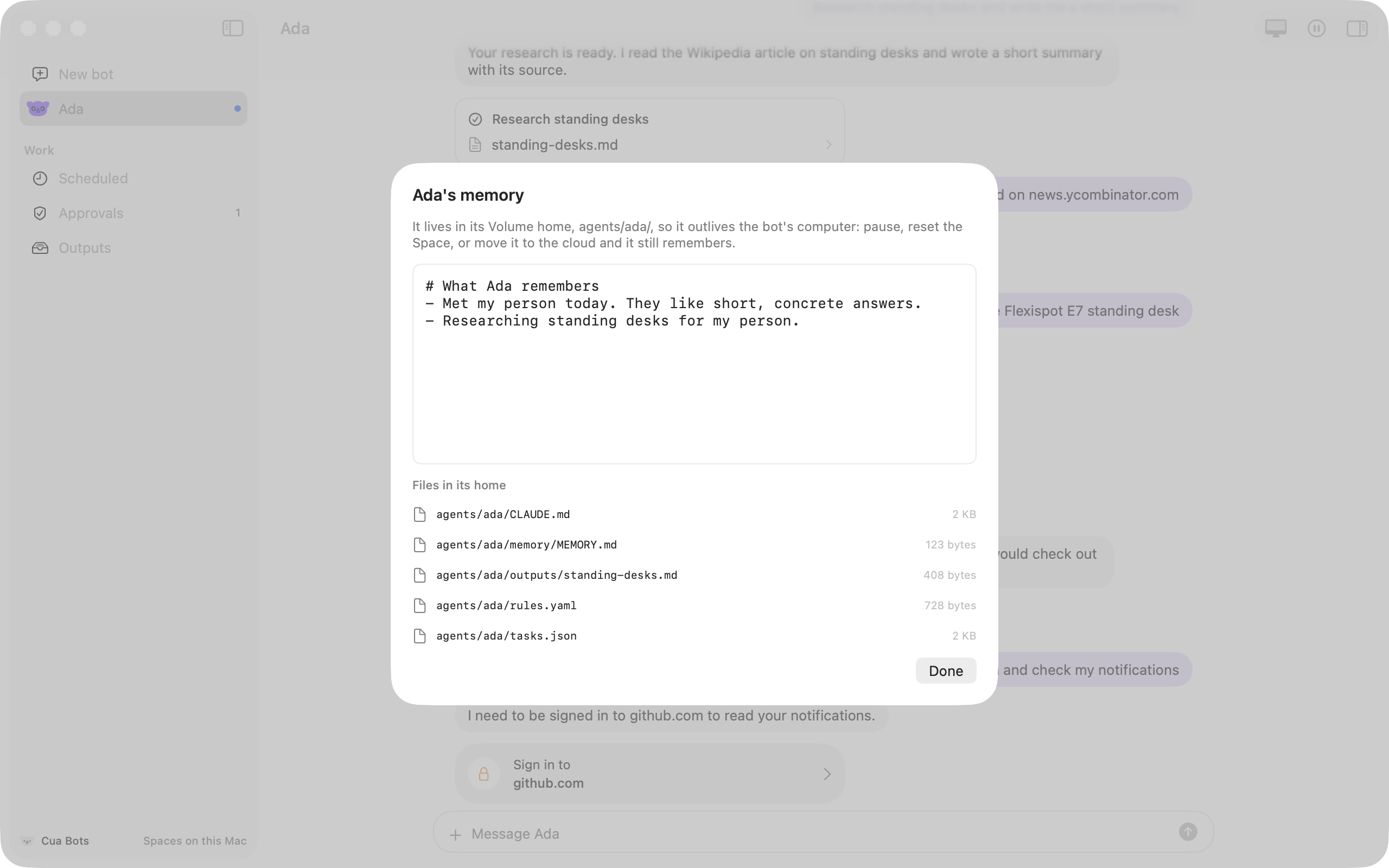
Memory in the Cua Volume layout at agents/<name>/: it outlives the bot's computer. Finished files land in outputs/, files you hand it in inbox/.
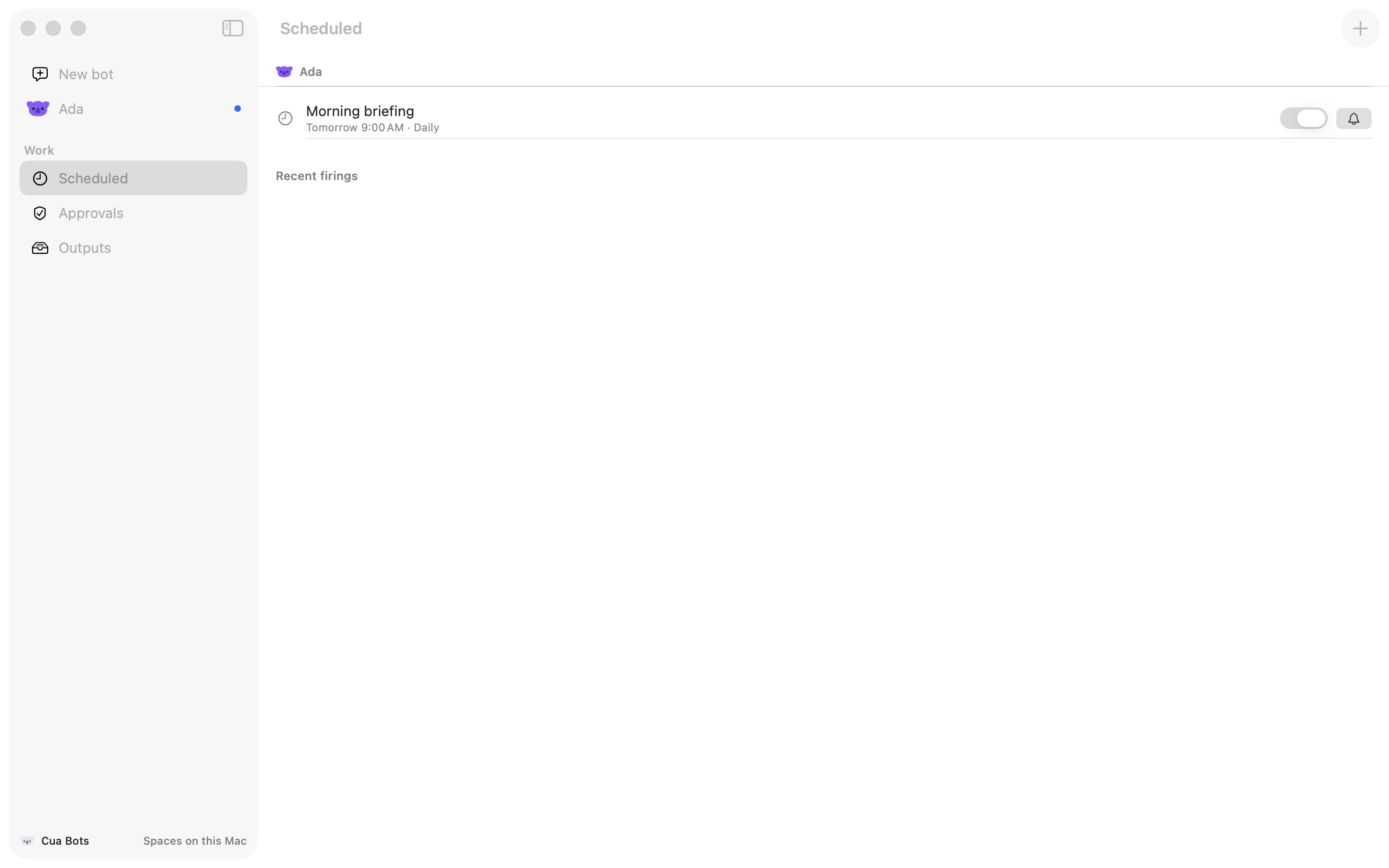
Works on its own: ask for something on a schedule and it becomes a routine. The Scheduled page lists every bot's routines and what they did.
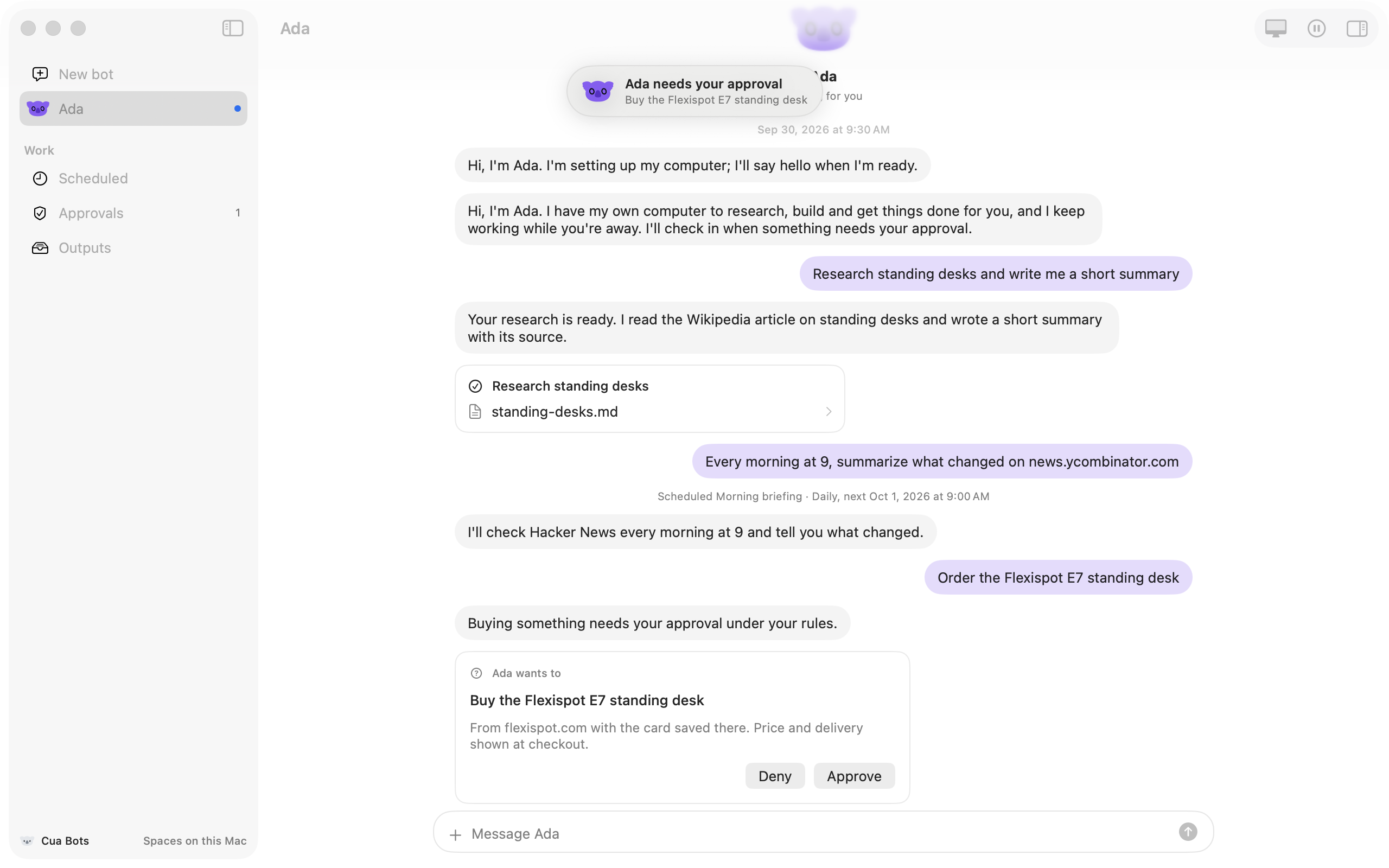
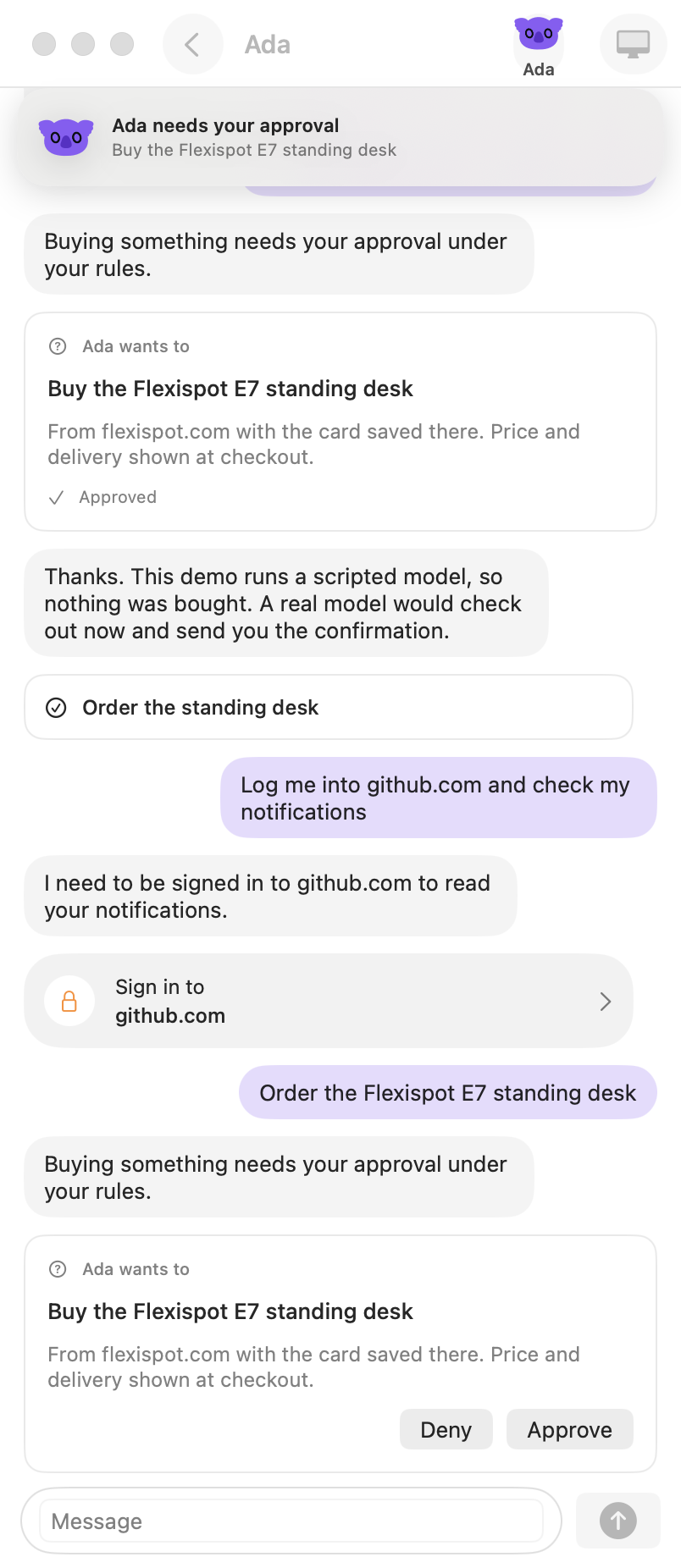
Approvals: the bot asks before buying, deleting, or contacting anyone; you approve from the conversation, the Approvals page or your phone.
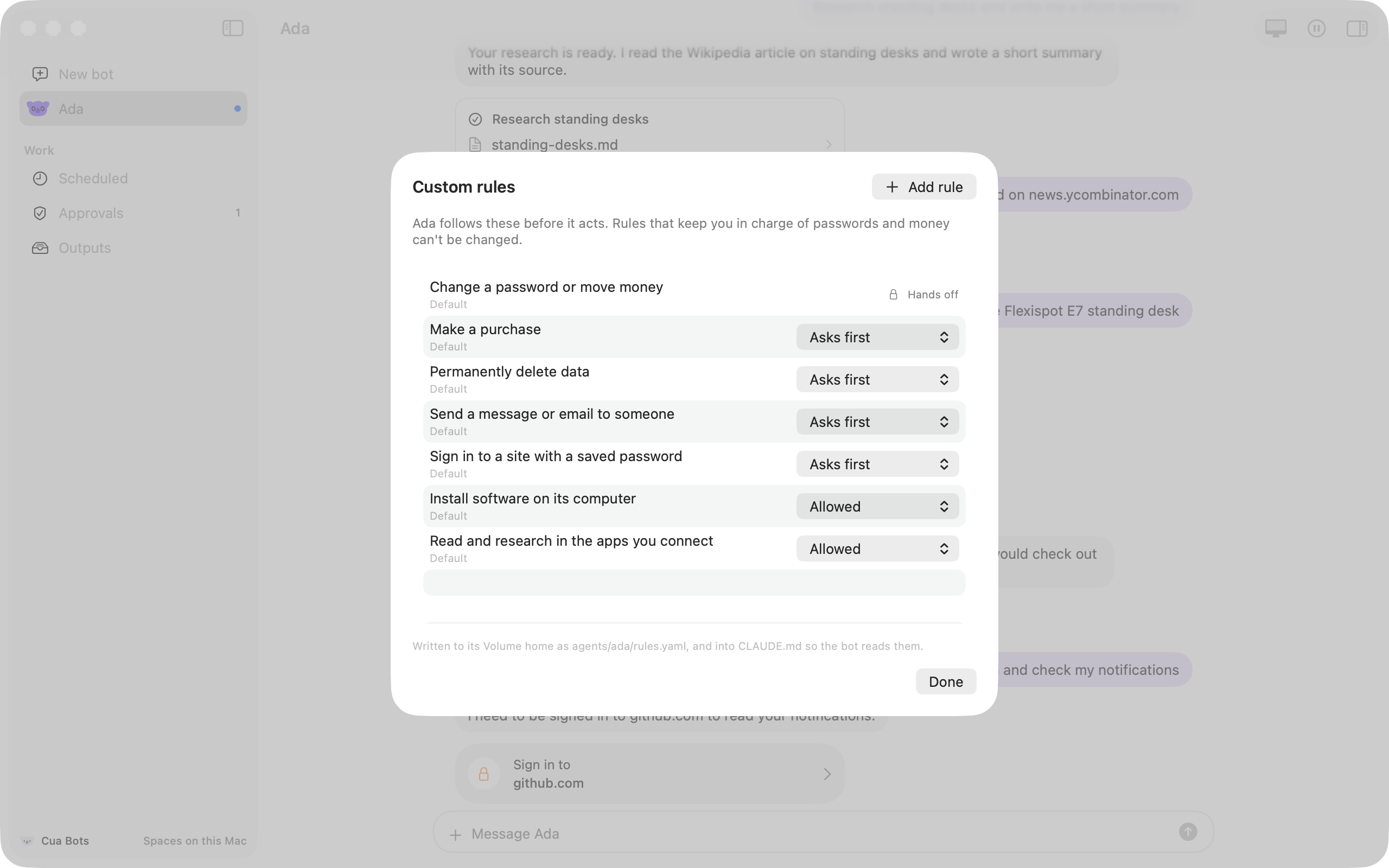
Custom rules: "When Ada wants to ... Ada should ..." with four choices (without asking, when you say so, ask first, hand off to you). Rules about passwords and money can't be changed.
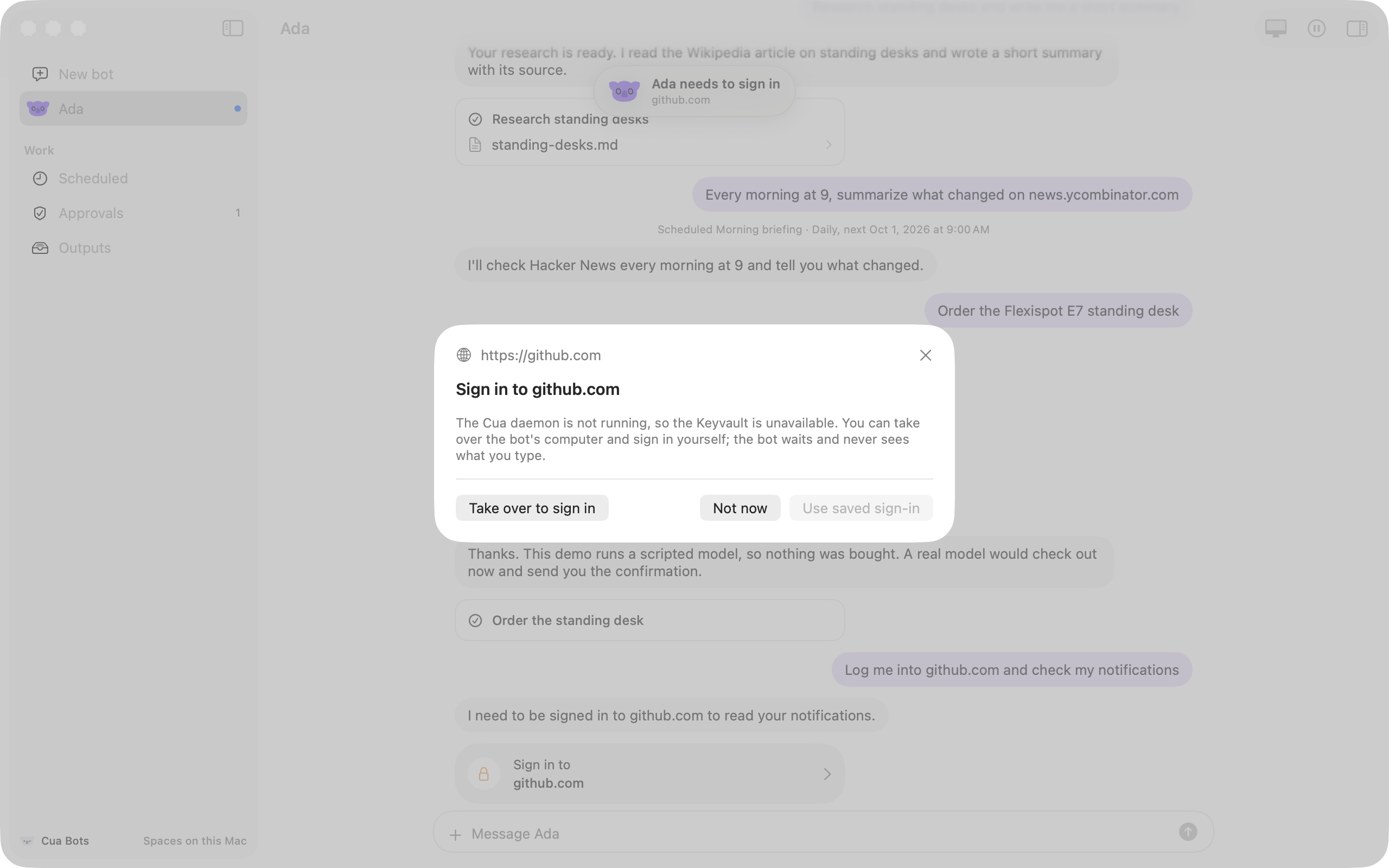
Sign-ins without sharing passwords: when a bot needs to be signed in to a site, it asks; you use a saved sign-in from the Cua Keyvault or take over its computer and type it yourself.
Access to your Mac: allow or revoke it from the bot's profile.
Pause, resume and reset from the profile menu or the phone.
Notifications in the window, in macOS, and on the phone.
The iPhone app: your bots, their conversations, their computers (open in your control), approvals and notifications.
These are real runs against a local Space. The bot's agent is the real harness (Claude Code); its model is Cua's scripted mock provider, so every reply is scripted and says so where it matters.
A Space per bot (bot-<name>), created with Spaces.create (on: local or cloud, reuse)
The bot
A cua agents harness run in its Space (Space.agentStart), with its Volume home as the working directory
Memory, outputs, inbox
The Cua Volume layout, agents/<name>/, kept in a folder on the Mac and copied into the Space before a turn and back after it
Watching and taking over
LiveStreamSession and StreamPiPController; the pointer from SpacesdClient.cursorPosition()
Routines
The SDK's routine clock, RoutineStore
Sign-ins
The Cua Keyvault (KeyvaultClient from CuaSpacesFFI, the Cua Spaces app export) and Space.teleport
Access to your Mac
Host.startSharing and Host.stopSharing (cua host)
The phone
The bot's Space through spacesd, over the relay or directly: a state snapshot to read, an outbox to write, its screen as decoded frames
A bot drives the app with a few markers in its replies, which its instructions file (CLAUDE.md, SOUL.md or AGENTS.md) teaches it: [[status: ...]], [[step: ...]], [[ask: action | details]], [[login: site]], [[notify: title | line]], [[schedule: daily 09:00 | title | what to do]] and [[done: ...]].
From a clone of trycua/cua. The sample builds the Cua Spaces app export (which carries the cua SDK) from source, so you need Rust, and local Spaces need Docker.
Give the app a model key for the agents you pick (ANTHROPIC_API_KEY, OPENAI_API_KEY). The iPhone app is in samples/cua-bots-ios; its README covers the Xcode build and pairing.
The app registers the Cua Spaces extensions at launch (cuaSpacesRegister()), so the runtime it embeds has persistent agents, the Keyvault and teleport. Because it links those Cua Spaces pieces, both samples are source-available under the FSL-1.1-MIT, like Cua Spaces; see LICENSING.md. For examples in TypeScript and Rust (Tauri), see Examples in other languages.
Rules are instructions to the bot, not enforcement: agent runs approve their own tool calls inside the bot's Space.
The routine clock runs while the Mac app is open.
Each bot's home is a folder on the Mac with the Cua Volume layout and secret refusal; the app doesn't sync it through the daemon's Cua Volume (Spaces.volumeWrite) yet.
Host access is per account, not per bot.
Saved sign-ins need the Cua daemon's Keyvault; approving them takes a Cua-signed app.
A phone off the Mac's network needs the bot's Space published through the relay, which the SDK can't do yet.