
Run Omarchy and OpenClaw
Run Omarchy on an ARM64 Arch Linux guest with optional Rosetta, and run an OpenClaw gateway in an isolated Lume VM.
Run Omarchy on an ARM64 Arch Linux guest with optional Rosetta, and run an OpenClaw gateway in an isolated Lume VM.
Official Omarchy 4.0.1 source (commit
13f18b2cb7286fb54f87daf571a031aa6af3d8f0) on an Arch Linux ARM base. It boots
into Hyprland, takes keyboard and pointer input, runs ARM64 apps, and runs
x86-64 Linux programs through Rosetta.
Not an official Omarchy ARM64 release (its ISO and packages are x86-64 only).
Graphics are software (llvmpipe, no Vulkan device), there is no audio on the
tested kernel (CONFIG_SND_VIRTIO off), and 27 Omarchy packages are missing
from the ARM repositories. Cua Driver support on Hyprland is tracked
separately (platform support).
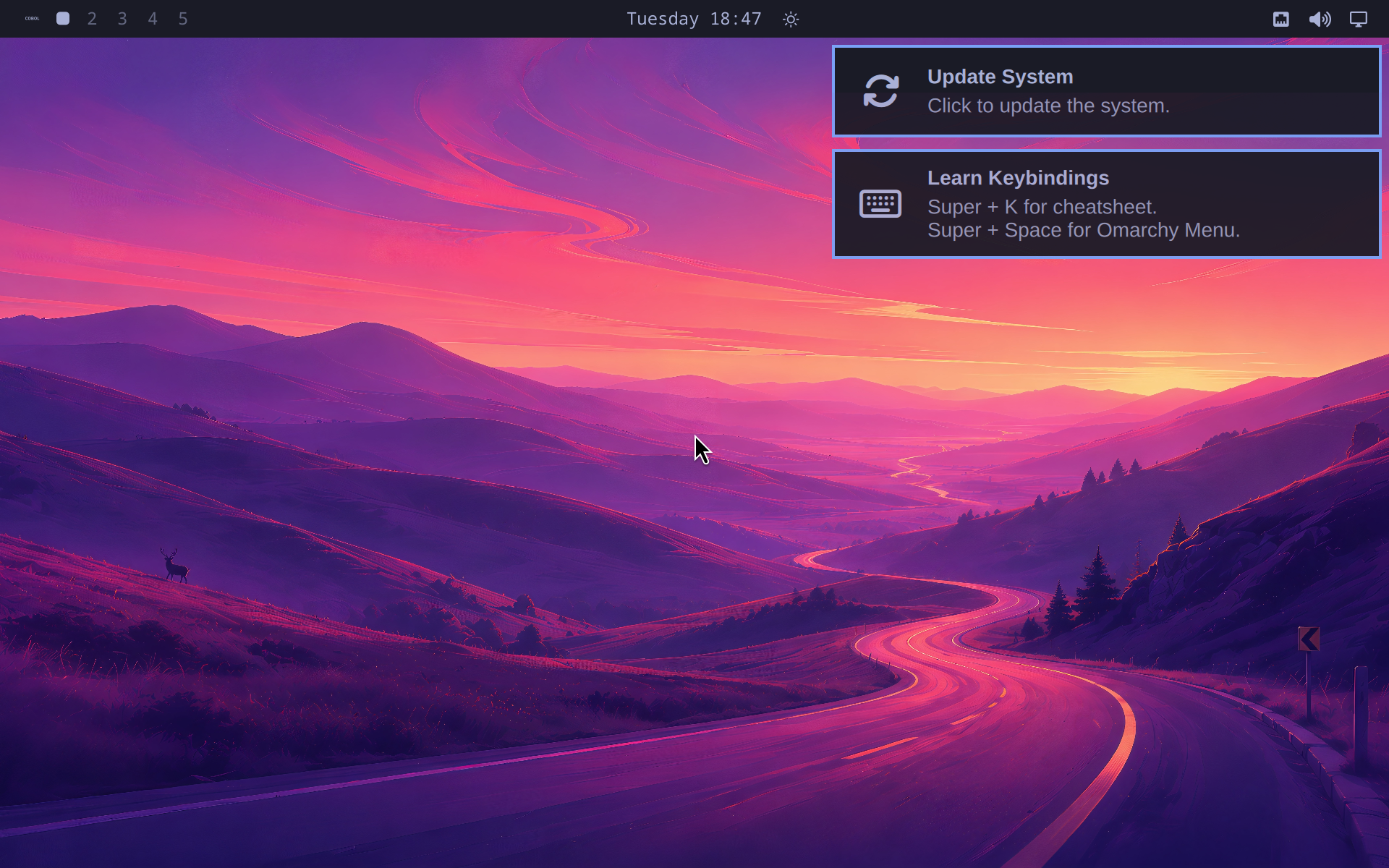
Tested with Lume 0.5.3, 8 vCPUs, 8 GiB, an 80 GiB disk and kernel
7.2.0-2-aarch64-ARCH.
curl -fLO https://release.archboot.com/aarch64/2026.08/iso/archboot-2026.08.25-02.28-7.2.0-2-aarch64-ARCH-aarch64.iso
curl -fLO https://release.archboot.com/aarch64/2026.08/b2sum.txt
curl -fLO https://release.archboot.com/aarch64/2026.08/b2sum.txt.sig
gpg --keyserver hkps://keyserver.ubuntu.com \
  --recv-keys 5B7E3FB71B7F10329A1C03AB771DF6627EDF681F
gpg --verify b2sum.txt.sig b2sum.txt
b2sum archboot-2026.08.25-02.28-7.2.0-2-aarch64-ARCH-aarch64.iso
Check the key fingerprint (5B7E 3FB7 1B7F 1032 9A1C 03AB 771D F662 7EDF 681F,
Tobias Powalowski) through an independent Arch channel. The tested ISO digest:
562bd4c54d879d7d2b80f565186b3804456f99a6e3913f7eda7bf9b0e9f132d6e9fcbd083998cb3dcbbf065528a2a404c4ce6151f90b3228dade788237ae1bc7lume create omarchy-arm64 \
--os linux \
--cpu 8 \
--memory 8GB \
--disk-size 80GB \
--display 1920x1200lume run omarchy-arm64 \
--mount "$PWD/archboot-2026.08.25-02.28-7.2.0-2-aarch64-ARCH-aarch64.iso" \
--display vncIn the Archboot root shell (the script erases /dev/vda after you type
ERASE):
curl -fLO https://raw.githubusercontent.com/trycua/cua/main/docs/public/scripts/omarchy-arm64-lume/install-arch.sh
chmod +x install-arch.sh
TIMEZONE=UTC ./install-arch.sh /dev/vda
arch-chroot /mnt passwd omarchy
umount -R /mnt
poweroffBoot without the ISO, sign in as omarchy, and run the pinned installer:
lume run omarchy-arm64 --display vnccurl -fLO https://raw.githubusercontent.com/trycua/cua/main/docs/public/scripts/omarchy-arm64-lume/install-omarchy.sh
chmod +x install-omarchy.sh
sudo ./install-omarchy.sh
sudo rebootThe guest reboots into the Omarchy desktop.
With Rosetta on the host, Lume attaches it as a rosetta virtiofs share:
curl -fLO https://raw.githubusercontent.com/trycua/cua/main/docs/public/scripts/omarchy-arm64-lume/enable-rosetta.sh
chmod +x enable-rosetta.sh
sudo ./enable-rosetta.sh
sudo reboot
A static x86-64 binary then runs directly (a BusyBox build prints x86_64 for
uname -m). Dynamically linked programs also need x86-64 libraries.
The missing packages are listed in
/var/log/omarchy-v4.0.1-unavailable-arm64-packages.txt. Most are packaging
gaps (ARM64 upstream builds or architecture-independent), seven are plausible
source builds, and obsidian has no ARM64 Linux build. Add them one at a
time; never install x86-64 packages into the ARM root.
Keep an OpenClaw gateway isolated from your daily macOS and run it headless.
lume create openclaw --ipsw latest --unattended tahoe
lume run --no-display openclaw
lume ssh openclaw
In the guest:
curl -fsSL --proto '=https' --tlsv1.2 https://openclaw.ai/install.sh \
  | bash -s -- --no-onboard
openclaw onboard --install-daemon
openclaw gateway status
The gateway listens on the guest's loopback. From the host, forward it and open
http://127.0.0.1:18789:
ssh -N -L 18789:127.0.0.1:18789 lume@<VM_IP> # VM_IP from `lume get openclaw`For iMessage and other macOS-only channels, run with a display (lume run openclaw), sign in to Messages, and grant Full Disk Access and Automation
(OpenClaw iMessage guide). Then
save a golden copy:
lume stop openclaw
lume clone openclaw openclaw-golden
lume run --no-display openclaw
The clone holds your provider and channel credentials; protect it like the
original. If the gateway does not start after boot, run
openclaw gateway install in the guest.