
Omarchy with Cua Driver
Run the Omarchy edge VM image, where Omarchy's own Cua Driver injects input at the OS level, and drive it with the cua CLI.
Run the Omarchy edge VM image, where Omarchy's own Cua Driver injects input at the OS level, and drive it with the cua CLI.
ghcr.io/trycua/omarchy:edge is Omarchy's edge channel (Arch, Hyprland) with
the Cua Driver packages Omarchy ships, cua-driver-bin and
cua-hyprland-plugin, turned on. The plugin adds two agent seats inside
Hyprland, so input is injected by the compositor itself. The image also runs
cua-spacesd, so the cua CLI, SDK and Spaces work with it.
Set OMARCHY=ghcr.io/trycua/omarchy:edge (pin an edge-<date>-<sha> tag or a digest in CI).
cua sb create "$OMARCHY" --kind vm --name omarchy --cpu 4 --memory 4GB
cua sb view omarchy                      # the desktop in the browser
cua sb exec omarchy 'pacman -Q cua-driver-bin cua-hyprland-plugin hyprland'
cua sb exec omarchy 'hyprctl -j cua:status'cua do switch omarchy
cua do launch foot # Hyprland opens a terminal
cua do click 640 400
cua do type 'echo hello from Cua'
cua do key enter
cua do window ls # then: cua do window maximize <id>
cua do screenshot --save shot.pngEvery action goes through Cua Driver. The agent cursor overlay (a layer-shell surface) draws where the driver clicks, so screenshots show it:
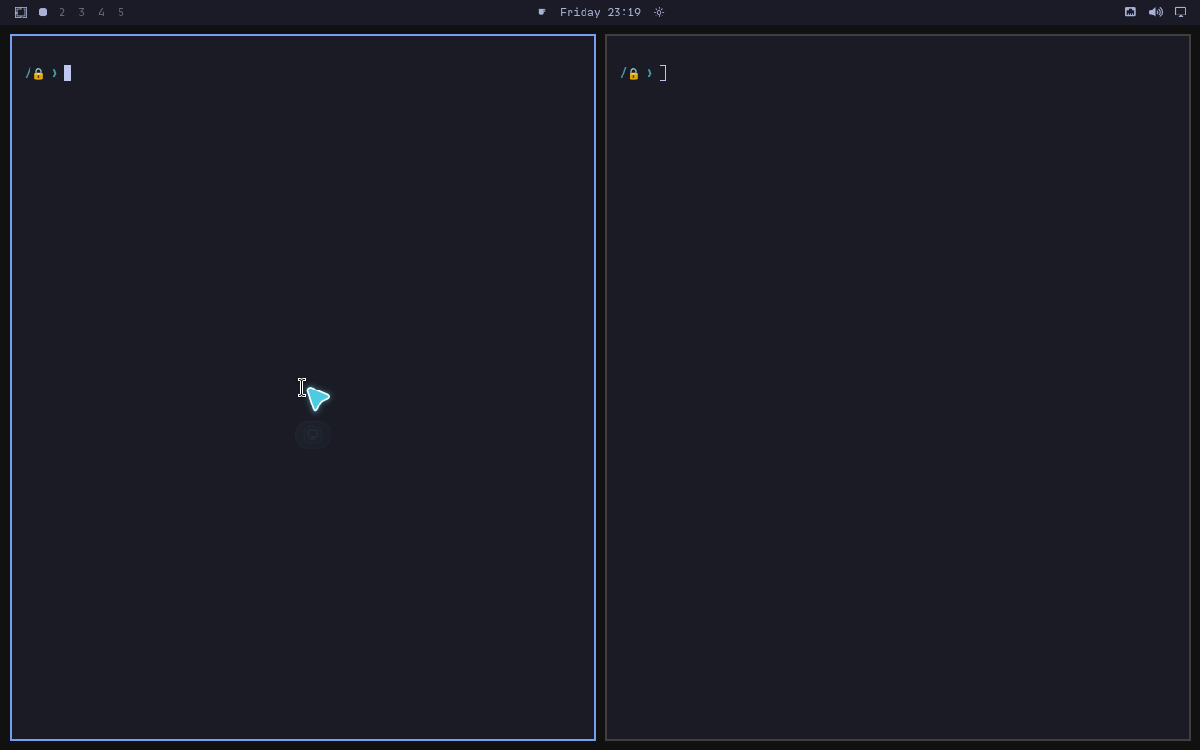
/usr/bin/cua-driver is Omarchy's package, running as the user unit
cua-driver.service. Its MCP server is available to agents in the guest:
cua sb exec omarchy 'cua-driver list-tools | head'
cua sb mcp omarchy env tools             # the same driver tools over cua-spacesd's /mcp
The Hyprland plugin is experimental and qualified for a narrow app set; see
Platform support.
Build the image yourself with cua images build libs/images/omarchy --outputs rootfs,disk.