
Infinite canvas: every window on one canvas
A SwiftUI example on the Cua Spaces SDK: a hotkey opens a zoomable canvas of live windows from macOS, Linux and Omarchy Spaces, with agent and coworker cursors and agent threads.
A SwiftUI example on the Cua Spaces SDK: a hotkey opens a zoomable canvas of live windows from macOS, Linux and Omarchy Spaces, with agent and coworker cursors and agent threads.
Infinite canvas puts every window of every Space on one zoomable canvas. A hotkey opens it, and each window is a live tile you can move, resize, zoom into and use.
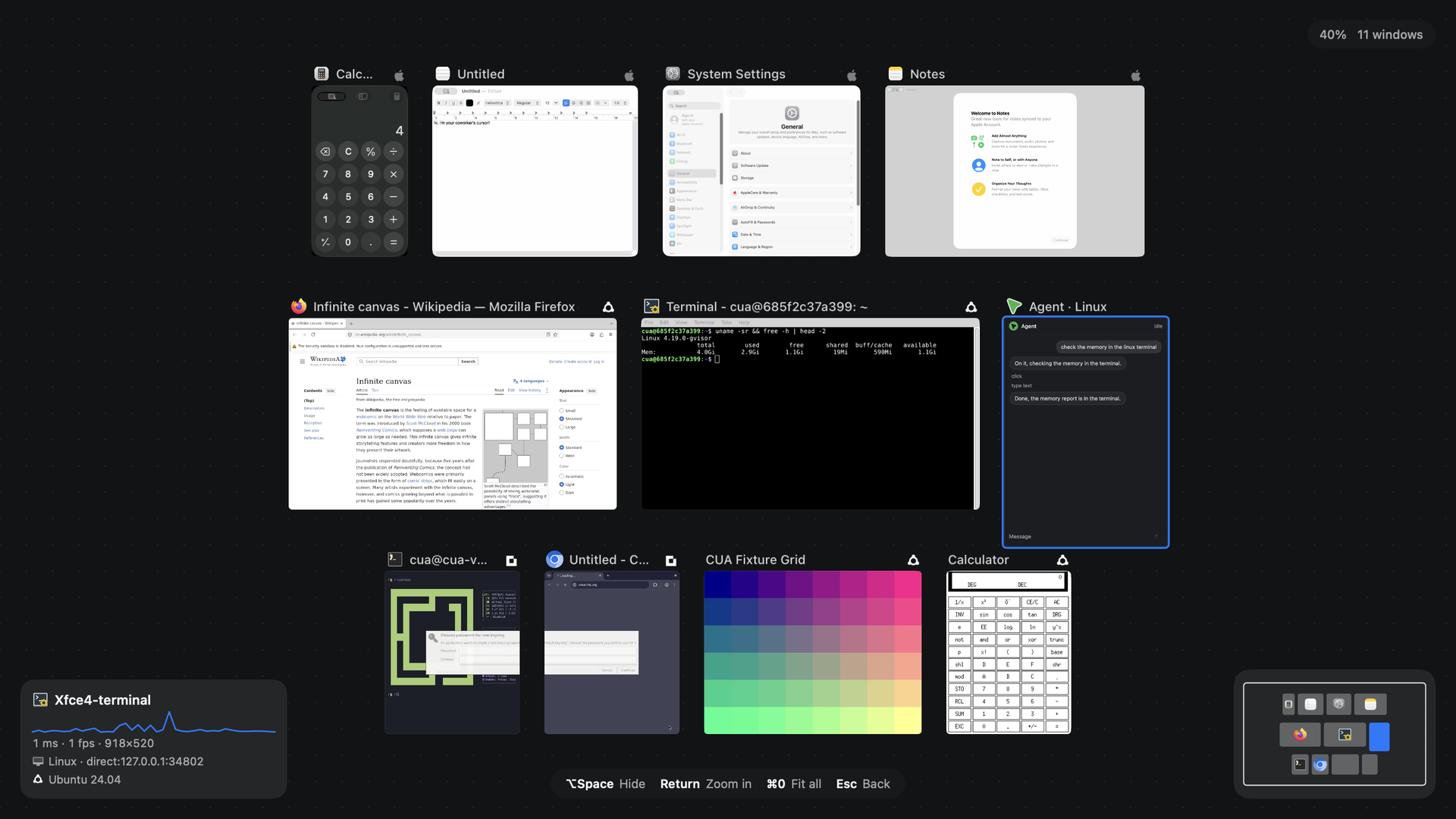
From a clone of trycua/cua, on macOS 26:
(cd libs/cua && cargo build --release -p cua-sdk && node scripts/stage-uniffi-library.mjs --only=swift)
cd samples/infinite-canvas-swift
swift build -c release
.build/release/infinite-canvas --spaces spaces.json --show
spaces.json lists the Spaces to show (any machine running cua-spacesd):
{
  "spaces": [
    {"label": "Linux", "os": "linux", "url": "127.0.0.1:3211", "token": "…", "maxWindows": 4}
  ],
  "threads": ["Linux"]
}
A local Linux Space for it:
TOKEN=$(openssl rand -hex 16)
docker run -d --name canvas-space --memory=4g -e CUA_ENV_TOKEN=$TOKEN \
  -p 127.0.0.1:3211:3211 ghcr.io/trycua/linux:24.04
Tests and the benchmark:
scripts/test.sh
swift build -c release --product canvas-bench && .build/release/canvas-bench --tiles 8samples/infinite-canvas-swift: SwiftUI and AppKit on Cua, CuaSpaces, CuaSpacesStreaming and CuaSpacesTeleport.
| Part | Guide |
|---|---|
| Window streams and presence | Stream a desktop |
| Agent threads | Use from an agent |
| Adding Spaces by address | Add a Space |